10 Tips for Buying the Right Test Chamber?

Choosing a test chamber is not simply a matter of selecting the largest temperature range or the lowest quoted price. The right equipment must reproduce the stresses your product will face in service. That may include heat, cold, humidity, condensation, vibration, or rapid temperature changes. A chamber that looks impressive in a brochure may perform poorly with your actual test load.

Dr. Michael Pecht, a recognized reliability engineering expert, defines reliability as “the probability that a product will perform its intended function for a specified period under specified conditions.” That definition matters here. Your test chamber becomes part of the evidence behind product decisions. Its uniformity, recovery time, sensor accuracy, airflow, and calibration history can influence every result. Small details matter. A loaded chamber may not behave like an empty chamber in a factory demonstration.

This guide, “10 Tips for Buying the Right Test Chamber,” examines the practical questions buyers often overlook. We will consider chamber volume, temperature and humidity limits, ramp rates, power requirements, safety features, data logging, maintenance access, and after-sales support. Standards such as IEC 60068 may also shape your selection, depending on the application. Experience suggests that specifications alone are not enough. I have seen technically suitable chambers become expensive problems because doors were awkward, service parts were unavailable, or the facility lacked adequate power. That is worth admitting. A careful decision may require revising the original test plan, not merely comparing supplier prices.
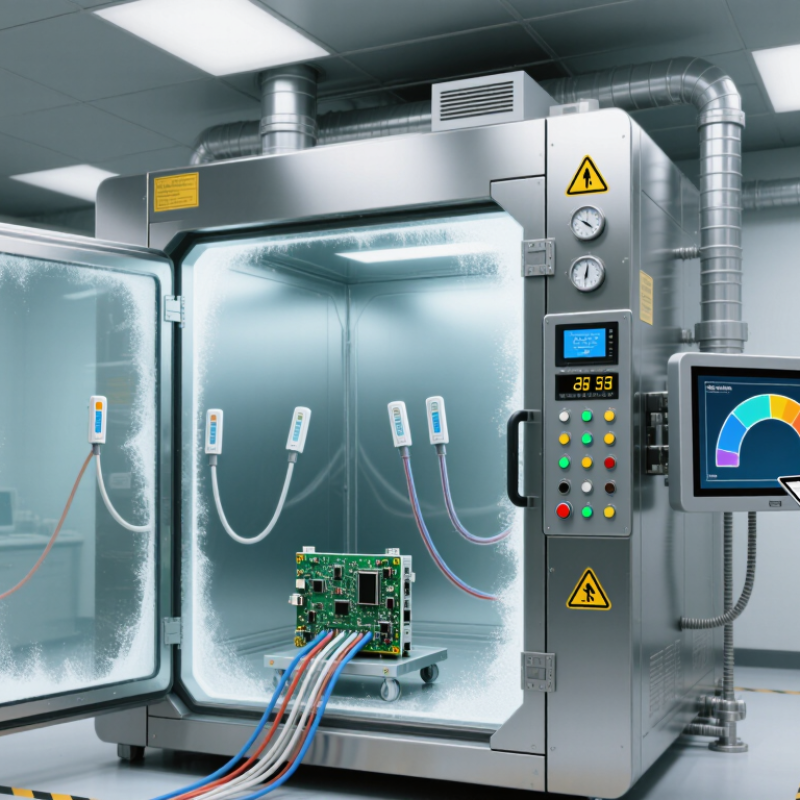
10 Tips for Buying the Right Test Chamber?

Define Test Profiles Under IEC 60068-2 for Temperature, Humidity, and Cycling

10 Tips for Buying the Right Test Chamber

Define the test profile before comparing chamber size, sensors, or cooling power. IEC 60068-2-1 addresses cold tests, while IEC 60068-2-2 covers dry heat. For humidity, IEC 60068-2-30 defines cyclic damp heat exposure. These methods specify temperature ranges, humidity levels, dwell times, and transitions. Your chamber must reproduce those conditions, not merely display impressive limits.

These methods specify temperature ranges, humidity levels, dwell times, and transitions.

Write every profile as a measurable sequence. Include ramp rates, stabilization time, humidity control, sample loading, and recovery requirements. A 2024 World Meteorological Organization report recorded 2023 as approximately 1.45°C above the pre-industrial average. Such environmental extremes reinforce the need for realistic temperature margins. However, wider limits do not automatically improve a test. Excess capacity can increase cost and reduce control stability. Bigger is not always better.

Ask for uniformity and fluctuation data under your actual load. Empty-chamber specifications can mislead. Place sensors near the product’s hottest, coldest, and most moisture-sensitive points. IEC 60068-2-38 may be more suitable when temperature cycling combines humidity changes and condensation concerns.

I have seen teams select a chamber from a single peak temperature. That shortcut often fails during transition stages.

Allow time for profile reviews, because real products rarely behave like empty fixtures. Check calibration traceability, alarm records, and data export functions. Then challenge the profile once more. Some requirements are inherited, not justified.

Match Chamber Types to −70 to +180°C and 10–98% RH Requirements

Buying the right test chamber starts with matching the chamber type to your complete test profile. Check whether the equipment can reach −70 to +180°C under your planned load. A chamber rated for extreme temperatures may not maintain both limits accurately during rapid transitions. For humidity testing, confirm operation from 10–98% RH at each required temperature. Do not assume the full humidity range applies everywhere. At low temperatures, condensation and frost can limit humidity control. Numbers can mislead.

Match chamber volume to the product, fixtures, and airflow space. Measure the largest item, including cables and supports. Check temperature uniformity and humidity uniformity at several sensor locations. Ask for recovery-time data after opening the door. Recovery matters. Review cooling speed, heating speed, and transition control for your actual test cycle. A smaller chamber may recover faster, but it can restrict airflow around large assemblies.

Request calibration records for temperature and humidity sensors. Confirm the calibration interval and measurement uncertainty. Inspect the door seal, viewing window, drainage system, and interior materials. Ask how the chamber handles frequent cycling between −70°C and +180°C. I once treated a published setpoint range as proof of performance, and that was too optimistic. Real loads behave differently. Leave space for doubt. Choose based on verified test data, not attractive specifications alone.

Size the Workspace Around Heat Load and 20% Free-Air Clearance

Sizing the workspace around heat load is more important than choosing the largest chamber available. A crowded workspace blocks airflow, slows temperature recovery, and creates uneven conditions around the test item. Keep at least 20% free-air clearance around the product, including above, behind, and beside it. This practical allowance supports airflow evaluation described in IEC 60068-3-5:2018. It also aligns with heat-gain planning principles in the ASHRAE Handbook—HVAC Applications, 2023.

Calculate the real thermal load before selecting internal dimensions. Include product dissipation, powered cables, fixtures, lighting, and heat released during operation. For example, a device producing 2 kW requires more than a chamber rated for exactly 2 kW. A 3 kW cooling capacity leaves only 1 kW for losses and changing ambient conditions. That margin may disappear during hot-start testing. Small details matter.

Place temperature sensors near the product, not only on the chamber wall. A metal fixture can absorb heat and distort early readings. I have seen teams measure empty-chamber performance, then discover slower recovery after loading. That result is useful, but the planning was incomplete. Recheck clearance after adding shelves, harnesses, and safety barriers. The chamber may fit the product, yet fail the airflow requirement.

10 Tips for Buying the Right Test Chamber? — Size the Workspace Around Heat Load and 20% Free-Air Clearance
Application Scenario Product Envelope
(W × D × H)
Estimated Product Volume Heat Load at Test Temperature Suggested Internal Workspace
(W × D × H)
Approximate Workspace Volume Air-Clearance Check Buying Recommendation
Small electronic control unit 300 × 250 × 180 mm 0.0135 m³
13.5 L
150 W 500 × 450 × 400 mm 0.090 m³
90 L
Product occupies approximately 15% of the workspace, leaving about 85% open volume for circulation.
Battery module under evaluation 450 × 350 × 250 mm 0.0394 m³
39.4 L
500 W 700 × 600 × 500 mm 0.210 m³
210 L
Product occupies approximately 19% of the workspace, meeting the 20% free-air planning target.
Power supply assembly 600 × 400 × 300 mm 0.0720 m³
72.0 L
800 W 900 × 700 × 600 mm 0.378 m³
378 L
Product occupies approximately 19% of the workspace; maintain unobstructed airflow at the inlet and outlet.
Automotive sensor assembly 800 × 500 × 350 mm 0.1400 m³
140.0 L
1,200 W 1,100 × 800 × 700 mm 0.616 m³
616 L
Product occupies approximately 23% of the workspace; increase chamber size or use a suitable airflow fixture. Avoid a tightly fitted chamber. Choose a model with at least 1.5 kW effective heat-removal capacity.
Instrument rack section 900 × 600 × 500 mm 0.2700 m³
270.0 L
2,000 W 1,300 × 900 × 800 mm 0.936 m³
936 L
Product occupies approximately 29% of the workspace; the 20% free-air target is not achieved by volume alone. Use a larger chamber, verify rack airflow, and confirm heat-load performance at the coldest set point.
Multiple small products on a shelf 4 units, each 250 × 200 × 150 mm 0.0300 m³ total
30.0 L
600 W total 800 × 600 × 500 mm 0.240 m³
240 L
Products occupy approximately 13% of the workspace; leave gaps between units and avoid blocking perforated shelves.
Large enclosure with internal fan 1,000 × 700 × 600 mm 0.4200 m³
420.0 L
1,500 W 1,400 × 1,000 × 900 mm 1.260 m³
1,260 L
Product occupies approximately 33% of the workspace; internal fan operation can improve mixing but does not replace clearance. Confirm temperature uniformity with the product fan running and evaluate cable and fixture heat paths.
Low-power mechanical component 500 × 300 × 200 mm 0.0300 m³
30.0 L
50 W 700 × 500 × 400 mm 0.140 m³
140 L
Product occupies approximately 21% of the workspace; physical clearance is adequate for a low heat-load test.
High-density electronics fixture 700 × 500 × 400 mm 0.1400 m³
140.0 L
2,500 W 1,000 × 800 × 700 mm 0.560 m³
560 L
Product occupies approximately 25% of the workspace; high heat density may require additional clearance beyond 20%. Prioritize heat-removal capacity and airflow mapping over minimum chamber volume.
Future production sample set Six units, each 400 × 300 × 200 mm 0.1440 m³ total
144.0 L
900 W total 1,200 × 900 × 700 mm 0.756 m³
756 L
Products occupy approximately 19% of the workspace, leaving room for fixture changes and airflow separation.
Practical sizing method: Calculate the total heat load as the sum of product dissipation, fixtures, sensors, and any powered auxiliary equipment. Select a chamber whose rated heat-removal capacity exceeds that total at the intended test temperature, preferably with a 20–30% reserve. Maintain at least 20% unobstructed workspace or air volume as a planning guideline, while also checking physical clearances around air inlets, outlets, shelves, and test fixtures. Actual requirements vary by chamber design, test standard, operating temperature, and manufacturer specifications.

Compare ±0.5°C Stability, ±2°C Uniformity, and Ramp-Rate Data

10 Tips for Buying the Right Test Chamber?

A chamber rated for ±0.5°C stability may sound highly precise. That figure usually describes temperature fluctuation at one sensor location over time. It does not prove that every shelf maintains the same temperature. In practical testing, a stable chamber can still show uneven heating near the door, corners, or loaded samples. Ask for the test conditions, sensor positions, empty-space results, and loaded-space data.

Uniformity matters differently. A ±2°C uniformity range means one area may differ noticeably from another. That variation could affect batteries, coatings, electronics, or biological samples. Compare the stated uniformity with your product tolerance, not with marketing language. Also check recovery time after opening the door. A chamber may meet its specification during a steady test but recover slowly after a real loading event. This is easy to overlook.

Ramp-rate data needs careful reading. Confirm whether the rate is measured during heating, cooling, or both. Ask whether the chamber is empty, partially loaded, or filled with a defined thermal mass. Actual performance can change sharply with heavy fixtures, airflow restrictions, or high humidity. Request logged data rather than a single advertised number. I once treated a ramp-rate figure as universal; that assumption was weak. Measurement conditions matter more than impressive decimals. Calibration records, acceptance criteria, and maintenance intervals should be reviewed before purchase. Small details often decide whether test results are repeatable.

10 Tips for Buying the Right Test Chamber? Compare ±0.5°C Stability, ±2°C Uniformity, and Ramp-Rate Data

This chart compares commonly specified temperature-chamber targets across representative testing applications. Stability and uniformity are shown as maximum temperature deviations, while ramp rate indicates the nominal temperature-change speed.

Lower stability and uniformity values indicate tighter temperature control. Ramp-rate requirements should be evaluated together with specimen load, operating range, and whether the rate is measured with an empty or loaded chamber.

Verify ISO/IEC 17025 Calibration, Safety, Energy Use, and Total Cost

10 Tips for Buying the Right Test Chamber

Verify ISO/IEC 17025 calibration before comparing prices. Check the laboratory’s accreditation scope, calibration points, measurement uncertainty, and traceability. A certificate alone is not enough. Check the scope. Ask for evidence. Confirm that the chamber’s temperature and humidity ranges match your actual testing profile. Avoid paying for extreme performance you will never use. Request raw calibration data when possible, not only a pass statement.

Safety needs practical attention. Inspect door interlocks, over-temperature protection, alarms, emergency stops, and compatible electrical connections. Ask how faults are recorded and how quickly technicians can respond. Review chamber insulation, standby settings, and average energy consumption under realistic loads. A low purchase price may hide higher utility bills. Small details matter. Consider noise, heat released into the room, access space, and ventilation requirements.

Calculate total cost across the equipment’s expected life. Include installation, qualification, calibration, consumables, software, preventive maintenance, repairs, and disposal. Ask whether common parts remain available. Request a written acceptance test using your products or fixtures. This exposes awkward loading, slow recovery, or unstable humidity before payment. One purchasing assumption may still be wrong: the largest chamber is not always the most useful. A smaller, well-controlled unit can deliver more consistent results and lower operating costs.

Request a Quote

For more information on our instruments, consumables, or services, or to request a quote, complete the contact form below, and one of our associates will reach out to you!

Request a Service Quote

To request service on your machine(s), complete the contact form below, and one of our associates will reach out to you!

Browse by:

  • Test Property
  • Manufacturer