7 Tips for Buying the Best Document Camera
A Document Camera can turn a small detail into a clear, shared view: a pencil mark enlarged on a classroom display, a circuit board shown during training, or a page read aloud without passing it around. Yet the best model is not always the one with the highest resolution or the longest feature list. It is the one that fits the room, the work, and the people using it. “Choose a Document Camera for the materials you show every day, not just the specifications on its box,” says Jordan Lee, an audiovisual integration specialist. Treat that as a practical buying principle, not a substitute for checking a product’s real performance.
This guide covers seven useful buying considerations, including image quality, flexible positioning, lighting, connectivity, software, portability, and support. Look closely at how a camera handles a glossy page, a three-dimensional object, or fine print under ordinary room lights. Check whether its arm reaches the viewing area and whether its controls feel simple during a live lesson or presentation. Small details matter. A camera that looks excellent in a product photo may be awkward on a crowded desk, and advertised compatibility may not cover every device or app. Compare the features against your actual setup, then test a shortlist if possible. That extra check can save frustration later. There is no perfect choice for every user; priorities differ, and a lower-cost model may be entirely adequate.
Identify Your Main Document Camera Needs
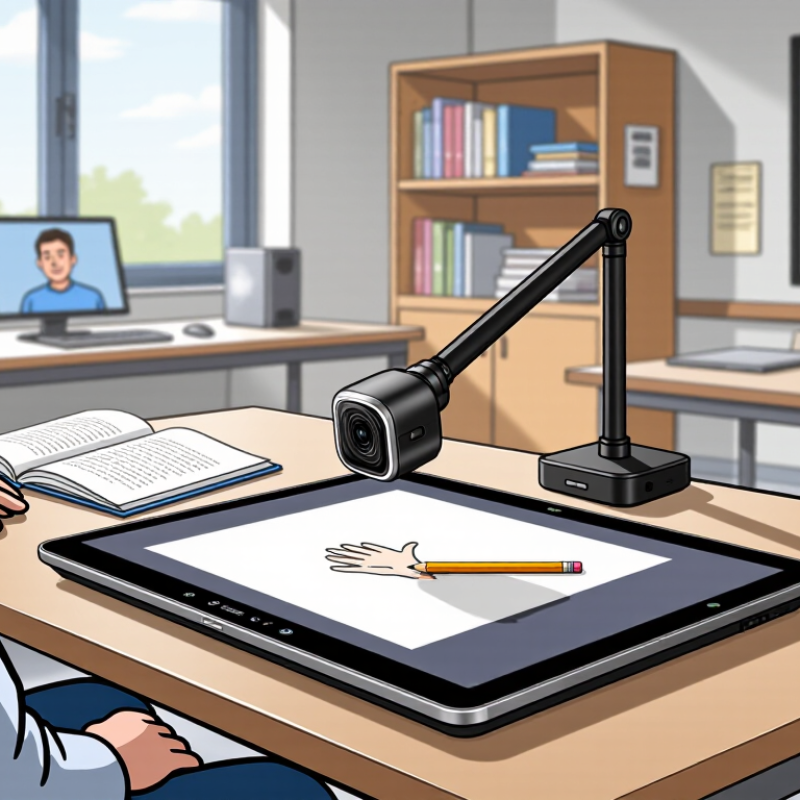
Before comparing document cameras, define what you need to show and where you will use the camera. A teacher displaying worksheets to a full classroom needs a different setup from someone digitizing receipts at a small desk. Note the largest page or object you expect to capture. Check whether the camera’s arm and capture area can cover it without awkward repositioning. Small detail.
Think about lighting, movement, and connection needs, too. If you teach in different rooms, a lightweight camera with a stable base may matter more than extra features. For fine print or circuit-board details, check image clarity under ordinary room lighting, not only in bright showroom conditions. A built-in light can help with shadows, but it may create glare on glossy pages. Consider how the camera connects to your computer or display, and whether its software supports the way you present or save images. It is easy to overvalue resolution. I would still test a real page, because focus speed and readable text matter during a live lesson. Your needs may change; leave room for that, without paying for tools you will rarely use.
Compare Image Resolution, Focus, and Lighting
When comparing document cameras, look beyond the resolution number on the box. A crisp image should show small print, pencil marks, and fine lines without forcing viewers to squint. If possible, test a sample page at the distance and screen size you expect to use. More pixels can help, but they cannot fix poor optics or a shaky mount. Check whether the camera captures clear detail across the whole page, including its corners. That matters when showing worksheets, diagrams, or a book opened flat.
Focus affects how quickly you can move from a full page to a close-up. Autofocus is convenient, but it may hunt when a hand passes over the page or a glossy image catches its attention. Manual focus offers control, though adjusting it during a lesson can feel fiddly. I would test both with a printed page and a small object, not just a blank sheet. One detail is easy to miss: focus should settle quickly after the camera moves.
Lighting can make a good image look washed out or uneven. Place a page under the camera and check for shadows from your hand, glare on coated paper, and dark corners. Adjustable lights help, but brightness alone is not the answer; softer, evenly spread light often preserves contrast better. Try the setup in the room where it will be used. Window light changes, and I still find that easy to underestimate.
Check Connectivity and Software Compatibility
A document camera is only useful when it connects smoothly to the equipment you already use. Check whether it needs USB-A, USB-C, or HDMI, and compare that with the ports on your computer or classroom display. Some models need a driver; others work through a browser or standard camera settings. Confirm support for your operating system and its current version. Compatibility is easy to assume, and that assumption can be wrong.
Tip: Before buying, ask for the camera’s exact system requirements. If possible, test it with your usual video software and a sample page of small print. Check that the image appears without extra adapters or setup steps.
Also review what the included software can do. You may need live annotation, image capture, or a split-screen view, but not every program offers these features. Check whether updates are available and whether the software requires an account or ongoing internet access. A quick test can reveal lag, unclear text, or controls that feel awkward. I would not rely on a feature list alone; setup details sometimes get overlooked. Make sure the camera works with the tools you actually use, not just the ones shown in a demonstration.
Evaluate Design, Portability, and Ease of Use
A document camera should feel stable before it looks elegant. Check whether its base stays put when you tap the focus button, and whether the arm holds position over a workbook. Place an A4 page beneath it, then test small print, a handwritten note, and a three-dimensional object. Look for even lighting without glare. A glossy desk can still cause reflections, so appearance alone is a poor guide. I would inspect the hinges closely; a stiff joint can make quick adjustments surprisingly annoying.
Portability is more than low weight. Fold the arm, measure the packed unit, and check whether its power adapter and cables fit in the same bag. If you move between rooms, a handle and a protected lens matter. For ease of use, check that focus, zoom, and lighting controls are easy to reach. Try connecting it to the display and computer you actually use, and note how long setup takes. AVIXA’s 2024 Industry Outlook and Trends Analysis estimated global professional AV revenue at roughly $325 billion in 2024. That broad market figure is a reminder to check compatibility, not proof that every camera works with every classroom system. A small trial can expose awkward menus or slow focusing. Test before buying.
7 Tips for Buying the Best Document Camera
Compare standard video resolutions by approximate pixel count—a useful starting point when evaluating image detail.
Pixel counts are calculated from standard resolution dimensions: 1280 × 720, 1920 × 1080, and 3840 × 2160. When choosing a camera, also check image quality, capture area, focusing, lighting, connectivity, portability, and ease of setup.
Balance Your Budget with Warranty and Support
A low purchase price can be tempting, especially when a document camera will only show worksheets and book pages. But the invoice is not the whole cost. Check what the warranty covers, how long it lasts, and whether shipping or labor is excluded. A one-year warranty may be enough for occasional use, but daily classroom handling puts more strain on hinges, cables, and focus controls. Small details matter.
Support matters when a lesson is waiting. Look for clear setup guides, reachable technical help, and a realistic repair process. Ask whether staff can troubleshoot common issues, such as a blurry image or a camera that will not connect. Keep the answers in writing. A vague promise of “help when needed” is not much help at 8:05 a.m.
Compare the expected service life with the total cost, not just the sale price. A slightly more expensive model may be worthwhile if parts and support remain available. Still, paying extra for a long warranty is not automatically wise; read the exclusions carefully. I would also test the camera with actual materials, like glossy workbook pages and small print. It is easy to overlook glare during a quick showroom demo.